
Microsoft is reportedly making sweeping changes to Windows 11 to make it faster, less bloated, and more feature-rich in response to rising MacBook Neo sales. The company is also said to be improving Android smartphone integration with Windows in the near future. As a result, your Galaxy phone could work even better with your Galaxy Book laptop.
A report from Windows Central claims that Microsoft will enhance the Phone Companion system in Windows 11's Start menu. It will reportedly show more activity from your Android phone, so you will not have to open the Phone Link app to access it. Hovering over activities or files could reveal more information, such as the full contents of a message.
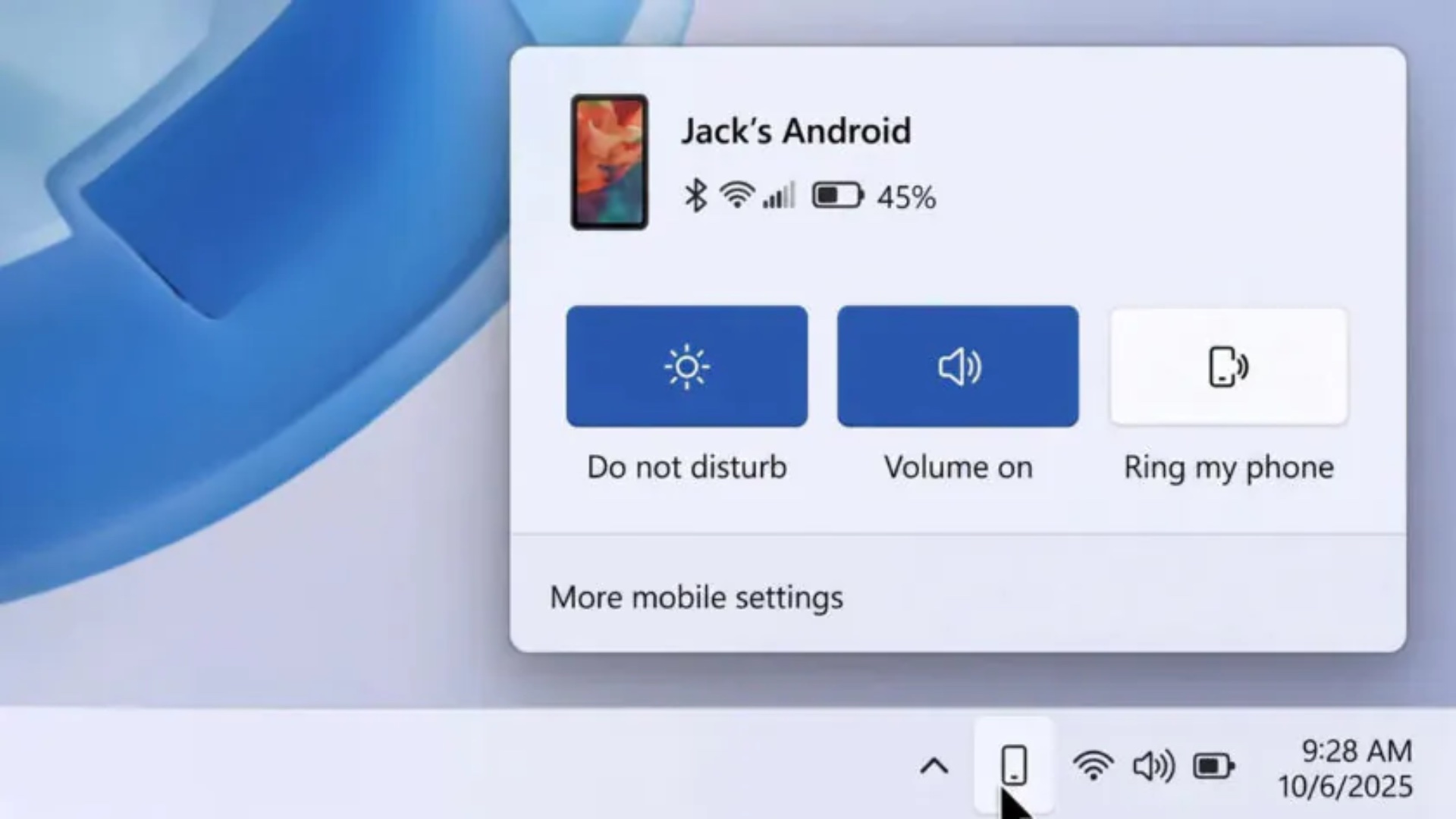
Windows is also said to be getting a dedicated phone icon in the taskbar when an Android phone is connected to a computer. Clicking it could open a pop-up flyout displaying the phone's current status, along with controls for features such as Do Not Disturb, Find Phone, and Vibrate.

Windows may also be able to sync your full clipboard history with an Android phone. Currently, only the most recently copied item is synced between the phone and computer. This rumored improvement could enhance productivity, especially for people who work with a lot of text.
Microsoft is also said to be developing a dedicated Messages app to display messages from your phone. You could pin the standalone Messages app to your Galaxy Book's Start menu for easier access. All these changes are reportedly still in the prototype stage and could change before they are released to Windows users.


Post a Comment